
There is a joke that when you work in IT, you go on holiday to stop fixing your clients tech problems for money and start sorting out your families tech issues for free. Well I have a slight twist on this and it gave me an idea.
My wife owns a fashion retail business and buying season is always very stressful, having to view stock from many suppliers and then order for delivery sometimes 12 months into the future. She had an idea and asked if I could make something to help? “Yes dear”, I answered and then I started on a learning adventure!
Her idea was to create an App that would let her keep track of the items she liked from various suppliers and help her order within a budget. The app needed to be simple, work on a mobile device and include photos. It seemed like a good chance to try out Vibe Coding on a real problem.
Getting started
I installed VS Code on my laptop: https://code.visualstudio.com/download
As someone who doesn’t spend much (hardly any) time in a developer environment, all the options seemed a little overwhelming, but then I noticed to Copilot prompt. I typed my first prompt:
Create a simple Progressive Web App for boutique owners to manage seasonal budgets and add potential stock items with photos.
Copilot kicked into gear and started creating the base app. It was very simple, with no branding or theme colours. It was the outline of the app I had in mind and now I needed to do some work. First things first, how do I run the app? Simple, ask Copilot and it starts the local server and returns the URL. Magic!
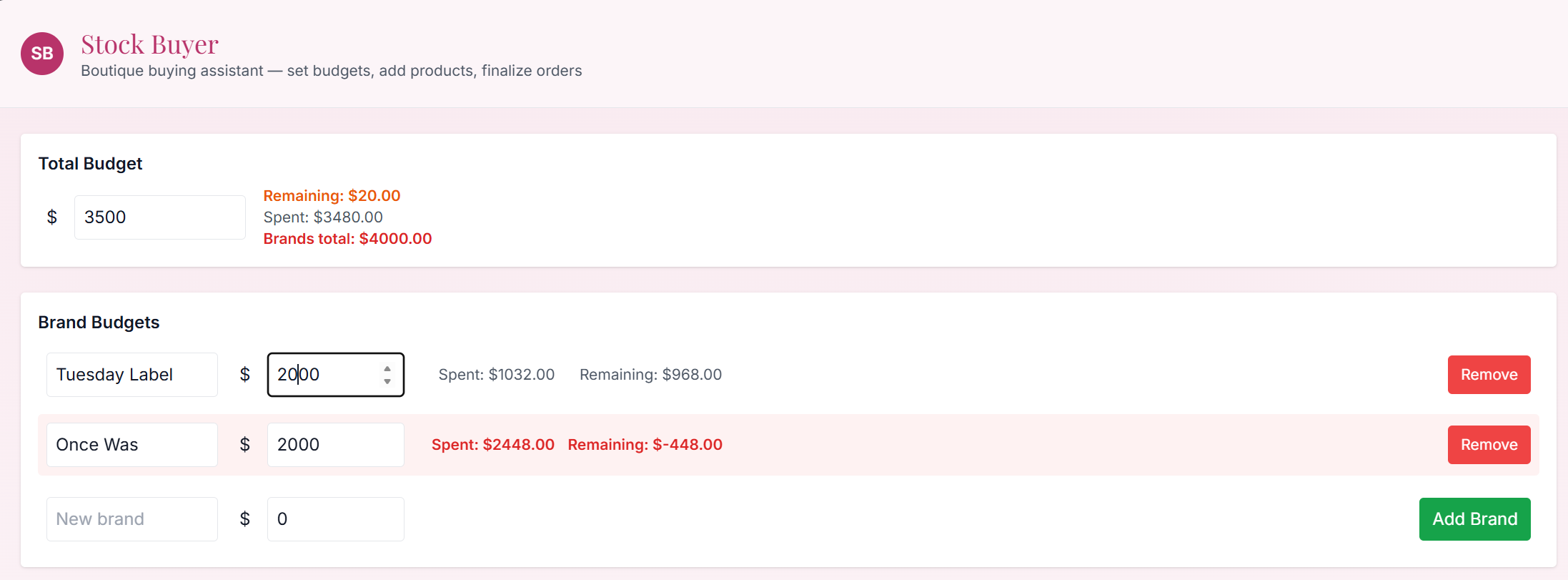
Here are some of the prompts I used to refine my design and improve the functionality.
In the budget section can you default the budget to $5000 and display a $ sign.I like the look of www.darcyboutique.co.nz can you theme the app so it is similar?In the add a product section can you include a month drop down list populated with month names. I noticed the fonts in the Brand Budget section are different sizes can you make them the same as other sections?After that update I get an error <paste error code>Can you add some conditional formatting if the budget is > 90% used make the colour orange. If it is over budget make it red.
You get the idea, keep refining and improving with prompts until you are happy. VS Code and Copilot do a pretty good job of testing but you may still find a few functional issues to resolve. If you do, describe the issue and Copilot will attempt to fix it. I found that I had to try a couple of times, realising later that my description could have been more specific.
After a couple of hours I was ready to show my very important end user. She asked if I could make a few improvements to the design and was able to do this live with her next to me. This is perhaps one of the real benefits of Vibe Coding – the ability to get instant feedback and be responsive!
Microsoft provides some great introduction training for Vibe Coders, but nothing beats just giving it a try!
This app is relatively simple and definitely isn’t an enterprise level app, however it does demonstrate the capabilities AI brings to developers. If you haven’t tried, give it a go!
Discover more from SharePoint Moments
Subscribe to get the latest posts sent to your email.
