
Modern SharePoint has been getting a makeover with new and improved features allowing content creators to up their design game. The Hero webpart has been with us from the beginning of Modern SharePoint, allows tile style images with links content. At the start of 2025, Microsoft rolled out the new carousel layout option for the Hero webpart.
To use this webpart, simple add a Hero webpart from the webpart gallery, change the layout to Carousel and add your content!
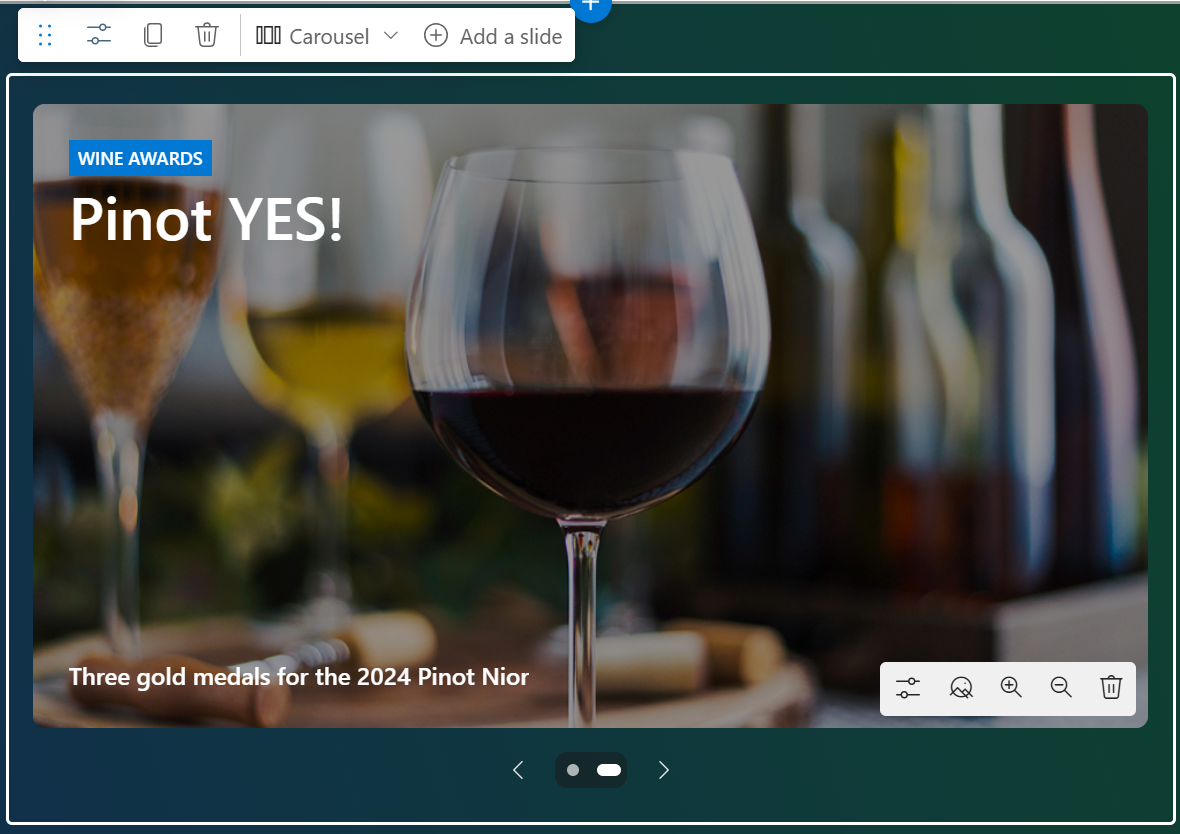
Configuration options include:
- Image
- Topic
- Title
- Description
- Image background colour (light or dark)
- Image overlay opacity
- URL
- Accessibility text
Carousel’s have their pro’s and con’s, so it is a good idea to consider when to use them.
Tips for using carousel’s on your intranet:
- Keep it to 3-5 items max. Research shows that users rarely interact beyond the first few slides (e.g., Nielsen Norman Group studies suggest 80-90% of attention stays on the first slide). Too many slides overwhelm or get ignored.
- Put the most critical or urgent news first since it’s the most likely to be seen. Use analytics (if available) to track what employees engage with and adjust priority accordingly.
- Each slide needs a strong image and concise headline that grabs attention instantly. Employees won’t linger—make it scannable (e.g., 6-8 word headlines).
- Don’t bury important evergreen content in a carousel. If it’s not time-sensitive, it might get missed as slides rotate.
Advantages:
- Saves vertical space, ideal for a homepage with multiple elements.
- Highlights a few key stories dynamically.
- Feels modern and engaging when done well.
Disadvantages:
- Lower engagement for items beyond the first slide.
- Accessibility issues (e.g., screen readers may struggle with auto-rotating content).
- Can frustrate users if navigation isn’t intuitive.
Are you using carousel’s on your Intranet?
Discover more from SharePoint Moments
Subscribe to get the latest posts sent to your email.
