
Do you remember the reaction you got the first time you told someone that Microsoft 365 Copilot can use content in SharePoint that they might not realise they can see themselves? The lightbulb moment when they realised years of putting off the tidy up until later as finally caught up?
Microsoft 365 Copilot runs in the context of the user which means if the person has permission to see content in SharePoint, then Copilot can too. In this blog I will explain how you can ease the worry using out of the box features of Microsoft 365.
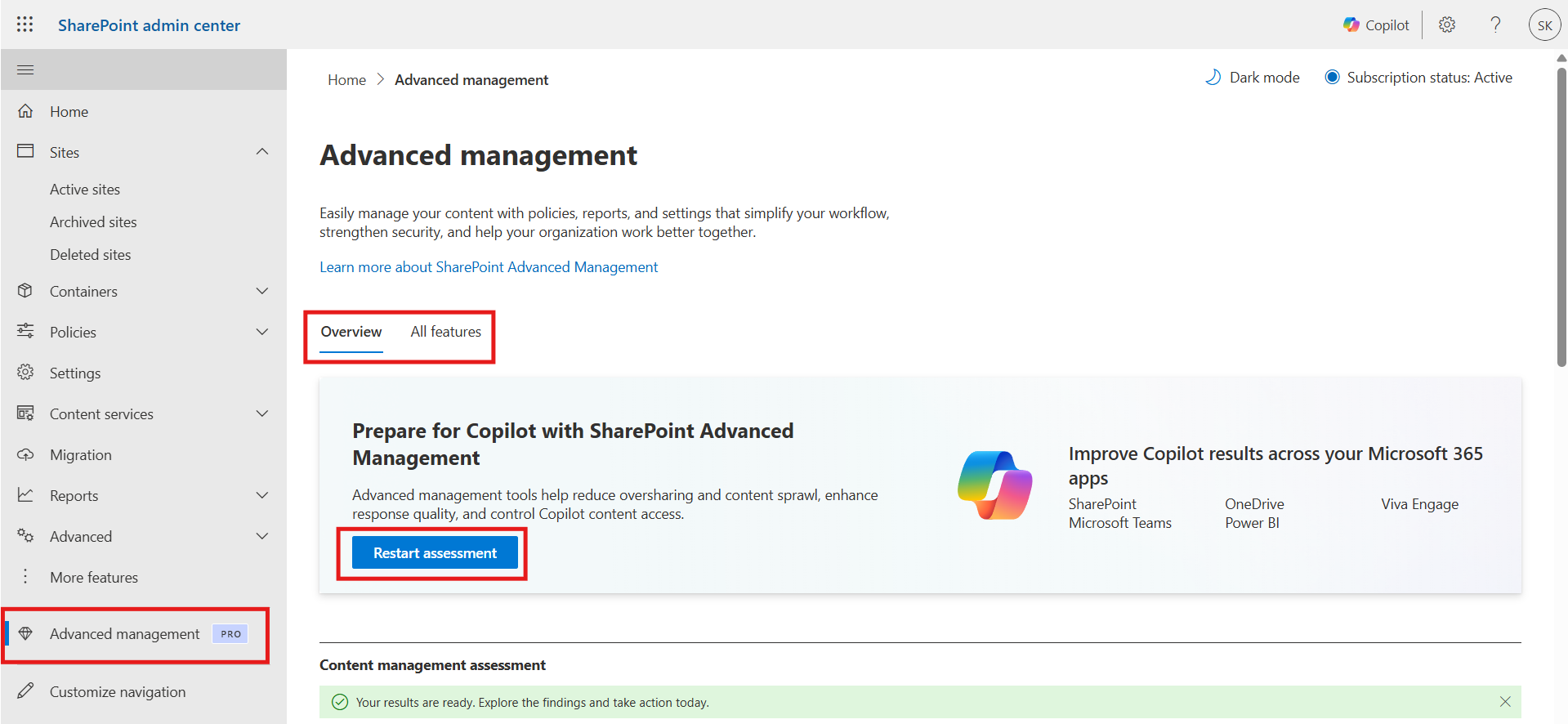
The very first question you will want to ask is where are the likely hotspots for content that everyone can see? This will help you focus on where you need to tidy up. You can do this using PowerShell scripts or tools like ShareGate (permission reporting), however these can be difficult to understand and time consuming to run. A good alternative is SharePoint Advanced Management and all you need is one M365 Copilot license and this feature is enabled in your tenant. The advanced features include tools that:
- Identify inactive sites
- Identify sites that are shared with everyone
- Identify sites with broken permission inheritance
- Identify share with everyone links
- Check permissions for a specific user or users
- Much more!
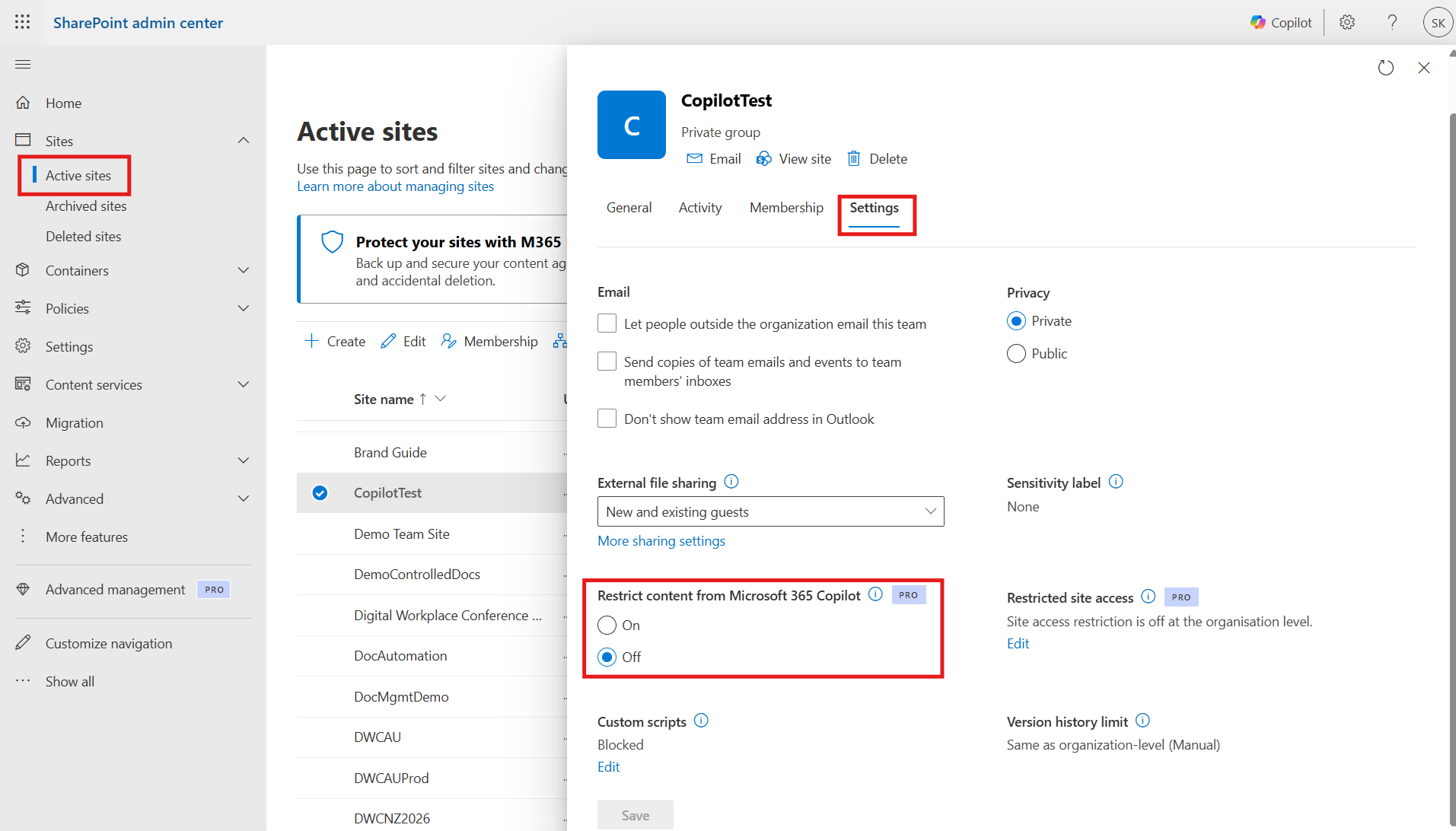
It will still take time to complete a tidy up as it can be labour intensive and require engagement with content owners. There may be some sites that you consider to be highly sensitive or just to risky to enable Copilot. Once again, if you have a Copilot license in your tenant, you can restrict access at the site level and sleep easier at night.
Once you have made these changes, it is important to give it a test to ensure your content is in good shape. Make a test plan to try various scenarios and check they don’t return sensitive information. Ask Copilot to find salary information, passwords and other sensitive items. Does it return anything unexpected?
In addition to these controls, you should ensure you have good site architecture, archive or delete old content, implement a permissions strategy and use Sensitivity Labels. A layered approach to security and privacy is a better strategy than relying on a single control.
Now that you have put controls in-place, you want to monitor the sites regularly to ensure your SharePoint doesn’t slowly drift back to a less than desirable state.
Discover more from SharePoint Moments
Subscribe to get the latest posts sent to your email.
