
Clarity is a powerful tool for understanding user behaviour and can be used to get “clarity” on how people are using your Intranet. Clarity is a free services and gives far better insights into user engagement with your content that out of the box analytics.
In this video I demo Clarity with an overview of features
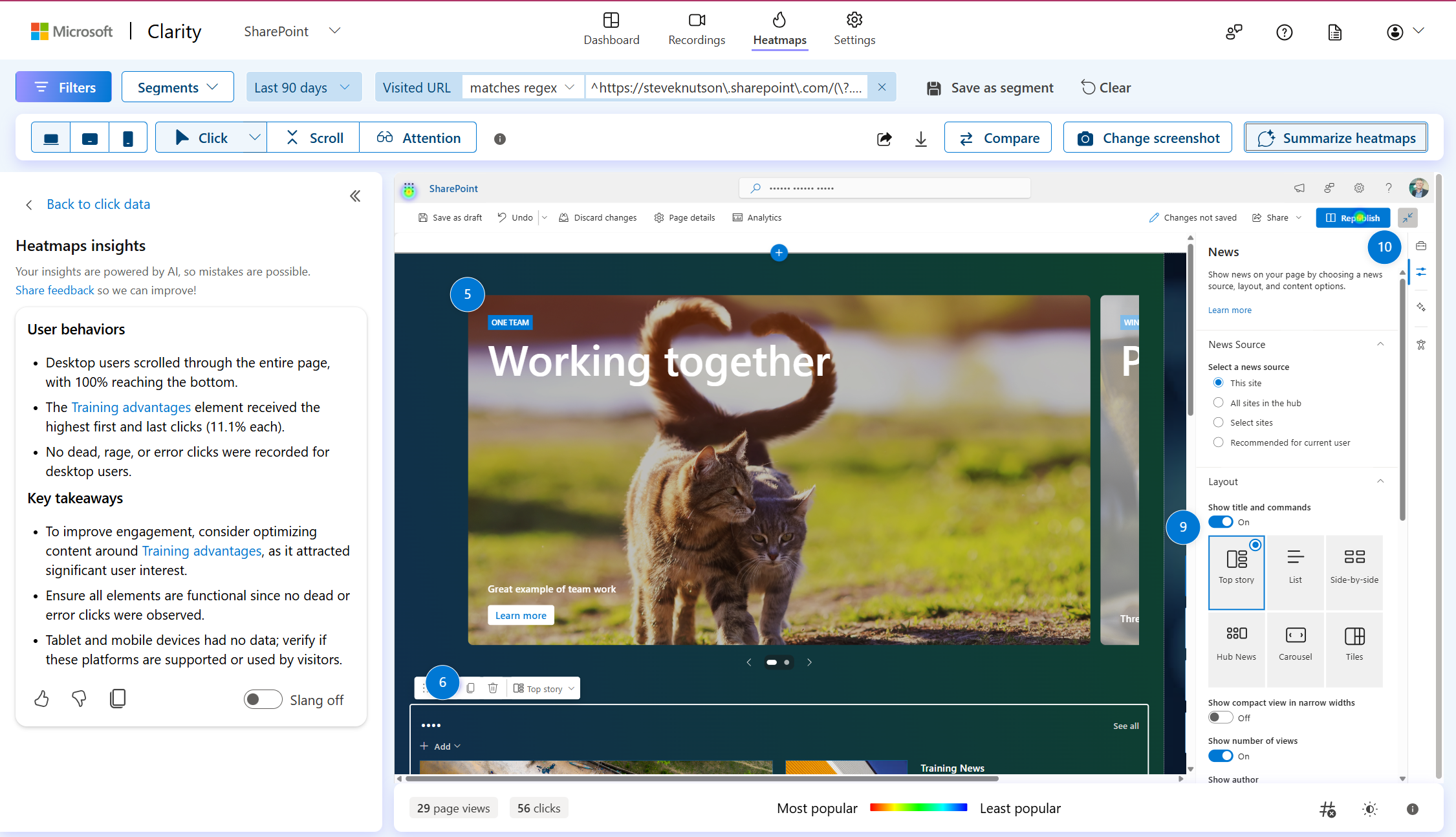
The Heat Map features helps you understand where people are focusing their attention. Which link do the click the most, are they using in page navigation vs global links to find their way around? The “Summarise heatmaps” feature helps interpret the heat map and suggests areas for improvement on a the page you are viewing.
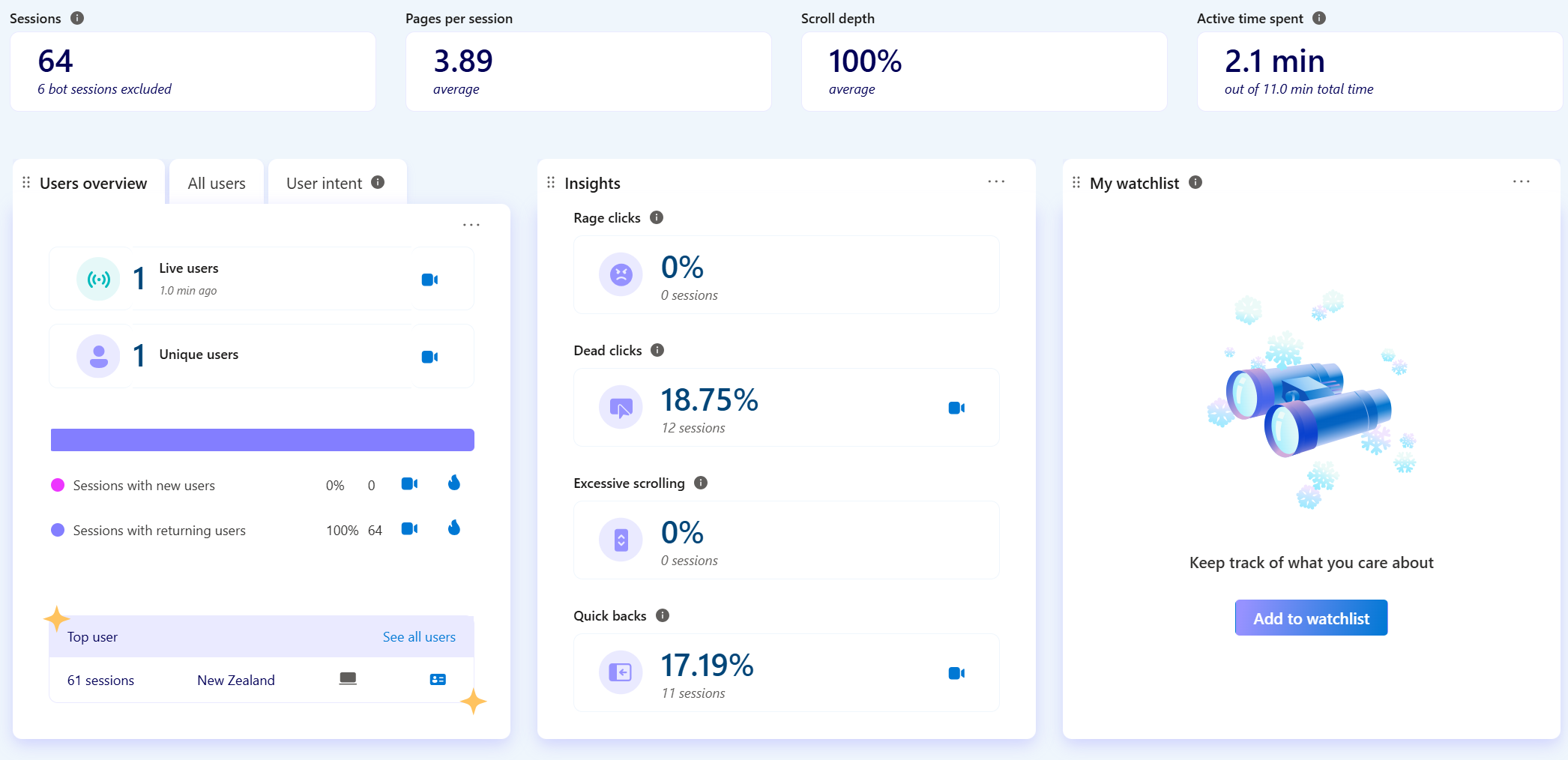
The Dashboard gives an overview of user activity including click and scrolling behaviour. I love the “rage clicks” count as I can picture someone madly clicking trying to get something done and becoming more enraged as the Intranet page fails them! Also see the “excessive scrolling” and “quick back” behaviour measures.
There is also a section for performance monitoring that can help you understand what areas of your Intranet to focus on improving. For example, locating slow loading pages with lots of images or poorly performing webparts.

The Attention features provides insights into how much time people spend on different parts of the page. This is a great help when it comes to understanding how people engage with your content.

Other Clarity Features include the ability to record a user session and playback to see exactly how someone interacts with a page, detailed performance analytics, demographics, device and operating system stats.
To learn more read:
- Installing Microsoft Clarity SharePoint Integration
- Microsoft Clarity FAQ’s
Clarity can also be used with WordPress, Shopify, SquareSpace and many other common web platforms.
Discover more from SharePoint Moments
Subscribe to get the latest posts sent to your email.
